
On Daily we have heard news about online services is suffering from a lack of security. In February WhatsApp has been down for nearly four hours,
as if this were not enough, people became aware of the security flaw that allows conversations that should be read by anyone provided it learn properly perform the procedures.
as if this were not enough, people became aware of the security flaw that allows conversations that should be read by anyone provided it learn properly perform the procedures.
Steps to follow:
1 - First of all you need to have the device at hand, use the Social Engineering and be quick in getting the e-mail and backup files msgstore-2014-05-02.1.db.crypt5.
To get the email for this follow the procedures below.
To get the email for this follow the procedures below.
Enter the Play Store and view the e-mail, or write down mentalize somewhere without the person noticing.

Now Go to the device settings from Settings ->Accounts & Sync, look for the email from Google and mentalize or write down somewhere without the person noticing.

2 - Now let's take the msgstore-2014-05-08.1.db.crypt7 file To do this, use Polaris Office or any other app that allows you to navigate between folders and manage files.
Follow this path: My files -> WhatsApp -> Databases- In this directory you will find all the backup files of your messenger.
When you do find the file sharing for your mobile phone via bluetooth.
When you do find the file sharing for your mobile phone via bluetooth.

3 - Have we got the e-mail and file backuphttp://whatcrypt.com/?cmd=_decrypt
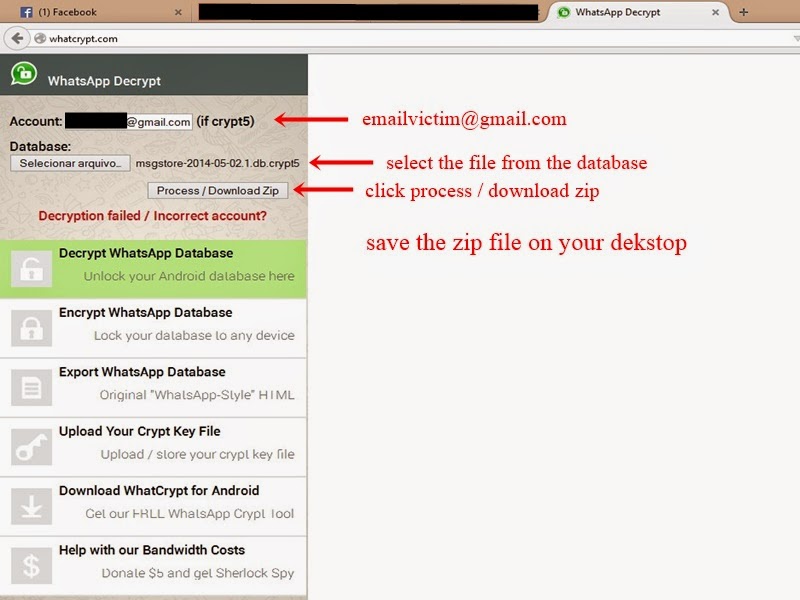
we enter the site and send the backup file.
To Submit follows:
Account: Enter the email of the victim
Database: Select the database backup
Click Process / download zip
Save the zip file on your desktop
we enter the site and send the backup file.
To Submit follows:
Account: Enter the email of the victim
Database: Select the database backup
Click Process / download zip
Save the zip file on your desktop
4 - Once you have downloaded the backup file in zip format we now need to download the tool to extract the backup and we have access to conversations. Save on the desktop.

WhatsApp Decrypt MediaFire:http://www.mediafire.com/download/hw7m1590ld27vd5/WhatsApp_Decrypt.rar
Scanner Virus Total:https://www.virustotal.com/pt/file/c58bbef257e1ada303478b468a2b68523cbd307e1620d76d53489763e0ef5e15/analysis/1399523236/
5 - From the desktop to extract the file WhatsAppDecrypt.zip install python-3.4.0 folder and enter theWhatsApp.
Browse by: WhatsApp ->Whatsapp_Xtract_V2.1_2012-05-10-2
Browse by: WhatsApp ->Whatsapp_Xtract_V2.1_2012-05-10-2

When you install python-3.4.0 do the following steps:
1 - Go to My Computer, click with the right mouse button and Properties -> Advanced System Settings
2 - In the System Properties navigate to theAdvanced tab -> Environment Variables
3 - Environment Variables look for Path
4 - Edit the PATH
5 - At the end of PATH add ;C:\Python34
6 - Click ok and close

6 - Now extract the file from step 3msgstore_decrypted on the desktop, copy and paste iton WhatsApp folder ->Whatsapp_Xtract_V2.1_2012-05-10-2 and replacethe file


7 - Replace the WhatsApp folder ->Whatsapp_Xtract_V2.1_2012-05-10-2 from step 5and
look for msgstore.dll file, drag it onto thewhatsapp_xtract_drag'n'drop_database file (s)_here
look for msgstore.dll file, drag it onto thewhatsapp_xtract_drag'n'drop_database file (s)_here

After you drag it will create a file called msgstore.db.html the folder and ask you to press any key at the command prompt to continue ...
Pressing any key it will open in your default browser displaying the file msgstore.db.html all conversations, dates, numbers, etc...
Pressing any key it will open in your default browser displaying the file msgstore.db.html all conversations, dates, numbers, etc...
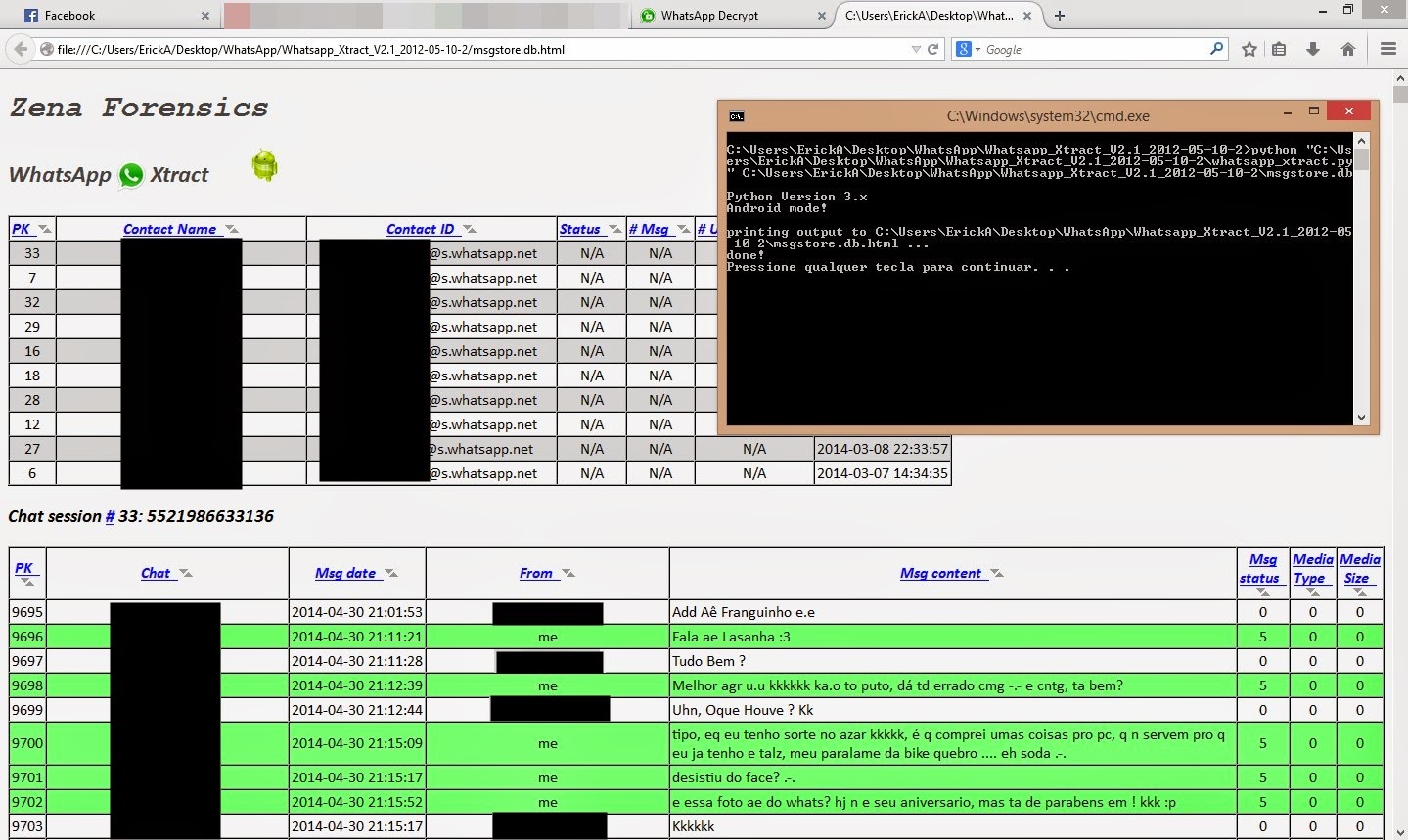
Note: In step 2 print shows the crypt 7 but the cryptis correct 5!
Disclaimer: This tutorial is educational purpose only. HOC is not responsible for any kind of illegal activities. We believe in Security.
Disclaimer: This tutorial is educational purpose only. HOC is not responsible for any kind of illegal activities. We believe in Security.


